.png?height=120&name=sonovate%20logo%20copy-01%20(1).png)
Everything related to SoW funding here
- Getting setup
- Placement checklist
- How submit an 'Outside of IR35' SoW placement
- Submitting a Funding Request
Getting setup
As SoW placements are managed through a separate portal and has a different process.
Please email ir35@sonovate.com so we can set up a new account for you.
Customer services will then organise the set up of your account on our ‘Funding Only’ platform.
Once you are set up and onboarded to this platform you can then issue SoW/Deliverable based invoices for funding.
The "Funding Only" platform is different to the timesheet platform you have been using for time & materials placements – you will need to generate your own invoice for the SoW placement and upload it into the platform.
Placement checklist
Everything you need to add a placement into your account with ease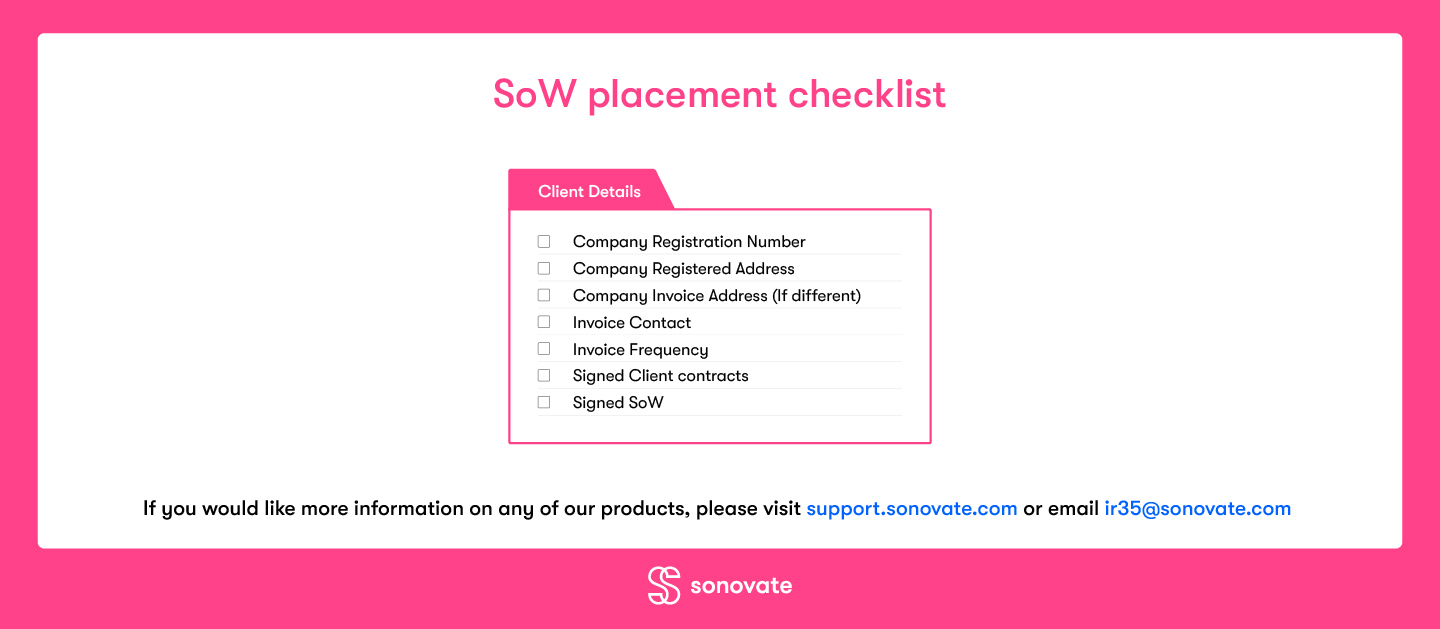
How submit funding for an 'Outside of IR35' SoW assignment
What will I need to submit a Funding Request for a SoW based contract?
End client details (including invoice contacts)
Copy of your agreed terms with the client
Copy of the agreed SoW
Invoice document to be issued to the client
Evidence of completion of the SoW deliverable/milestone
How to submit a SoW funding request
- Add client information - click here to see how to do this
- Attach the SoW document to the client.
- Sonovate will review the SoW as part of our pre-flight checks and issue a Credit Limit for your client.
- Create a Funding Request - Click here to go to our instant credit checker
- Attach the invoice for the Funding Request - this must reflect the date, milestone and amount as per the SoW document.
- Add a PO number (if applicable as per the SoW).
- And upload evidence of the milestone/deliverable approval.
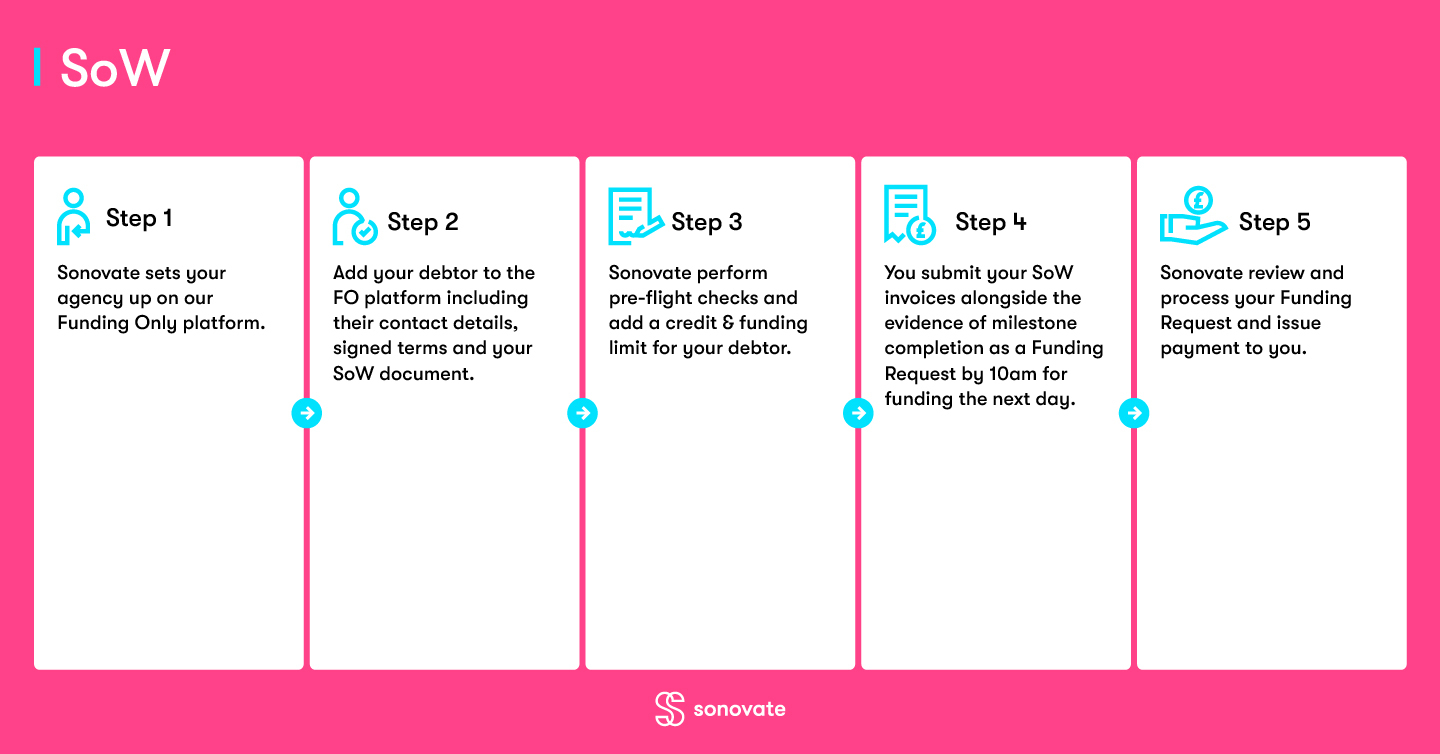
At a glance process

If you have any queries or questions on the above, please reach out to our Customer Services team via ir35@sonovate.com