.png?height=120&name=sonovate%20logo%20copy-01%20(1).png)
This article shows you how you can find where your Sonovate fee is in the Members portal.
Once you've logged in, click the "Agency Admin' tab on the left hand side of the dashboard.
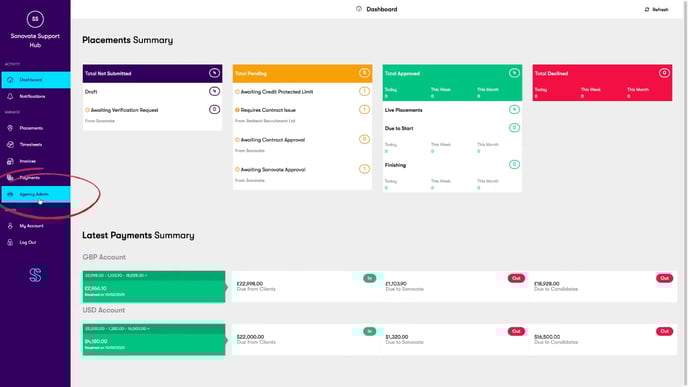
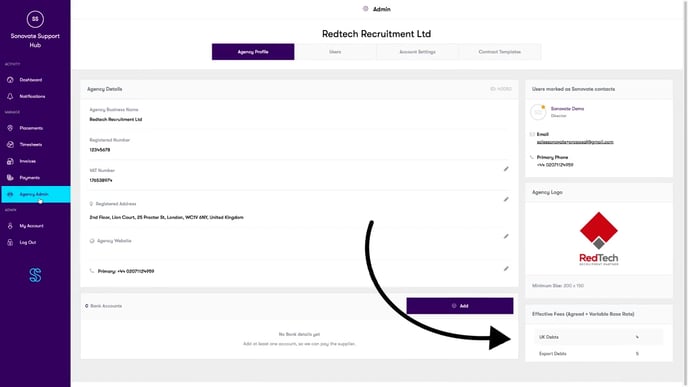
On the bottom right of this page, your can see your "Effective Fees" (agreed rate + variable base rate).
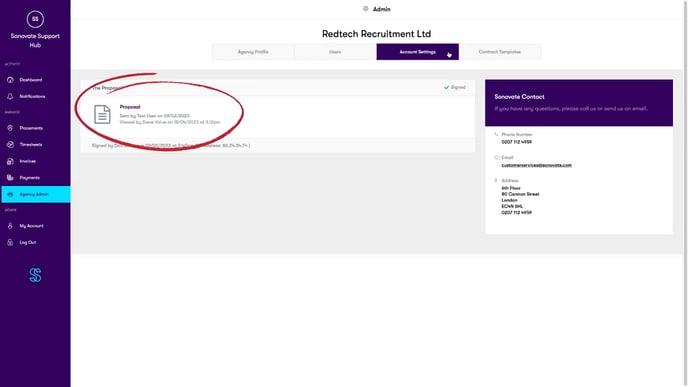
For further details on Sonovate fees, you can find them in your proposal.
Click the 'Account Settings' tab on the admin page, and click on "Proposal."
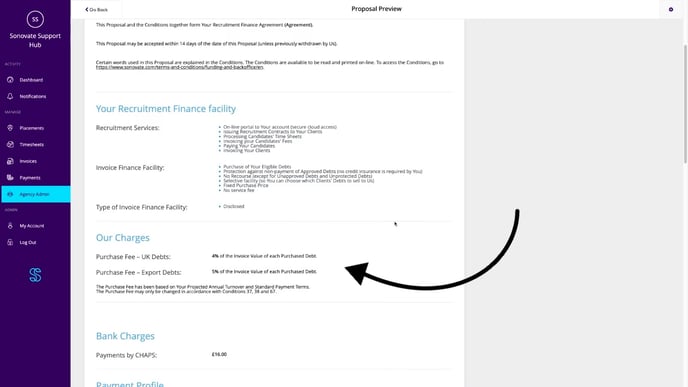
Scroll down to the Our Charges section ,and you will find more information on Sonovate fees.
Need help?
Please contact customerservices@sonovate.com and one of our friendly team will be able to answer your queries.